

charge_1, charge_2, charge_3 fails when the count varies.
Reducto’s Extract API handles both patterns: fixed fields use schema properties, variable charges use array extraction. This cookbook shows how to extract a freight invoice into structured JSON.
Sample Document
Download the sample: freight-invoice.pdf
- Invoice header (number, date, payment terms)
- Bill-to and ship-to addresses
- Shipment details table (items, weight, NMFC class)
- Freight charges breakdown (linehaul, fuel surcharge, accessorials)
- Payment instructions
Create API Key
1
Open Studio
Go to studio.reducto.ai and sign in. From the home page, click API Keys in the left sidebar.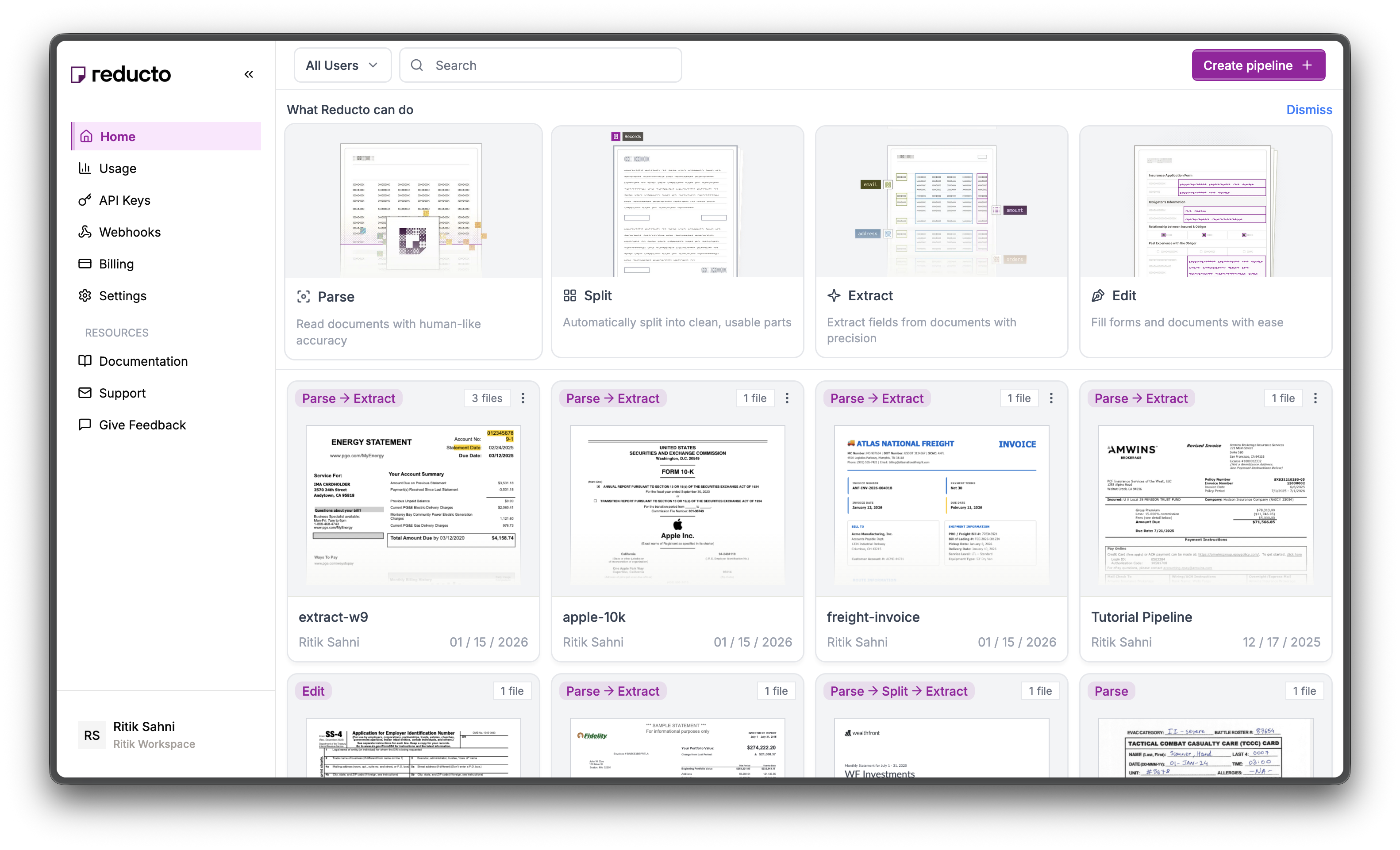
2
View API Keys
The API Keys page shows your existing keys. Click Create API Key in the top right corner.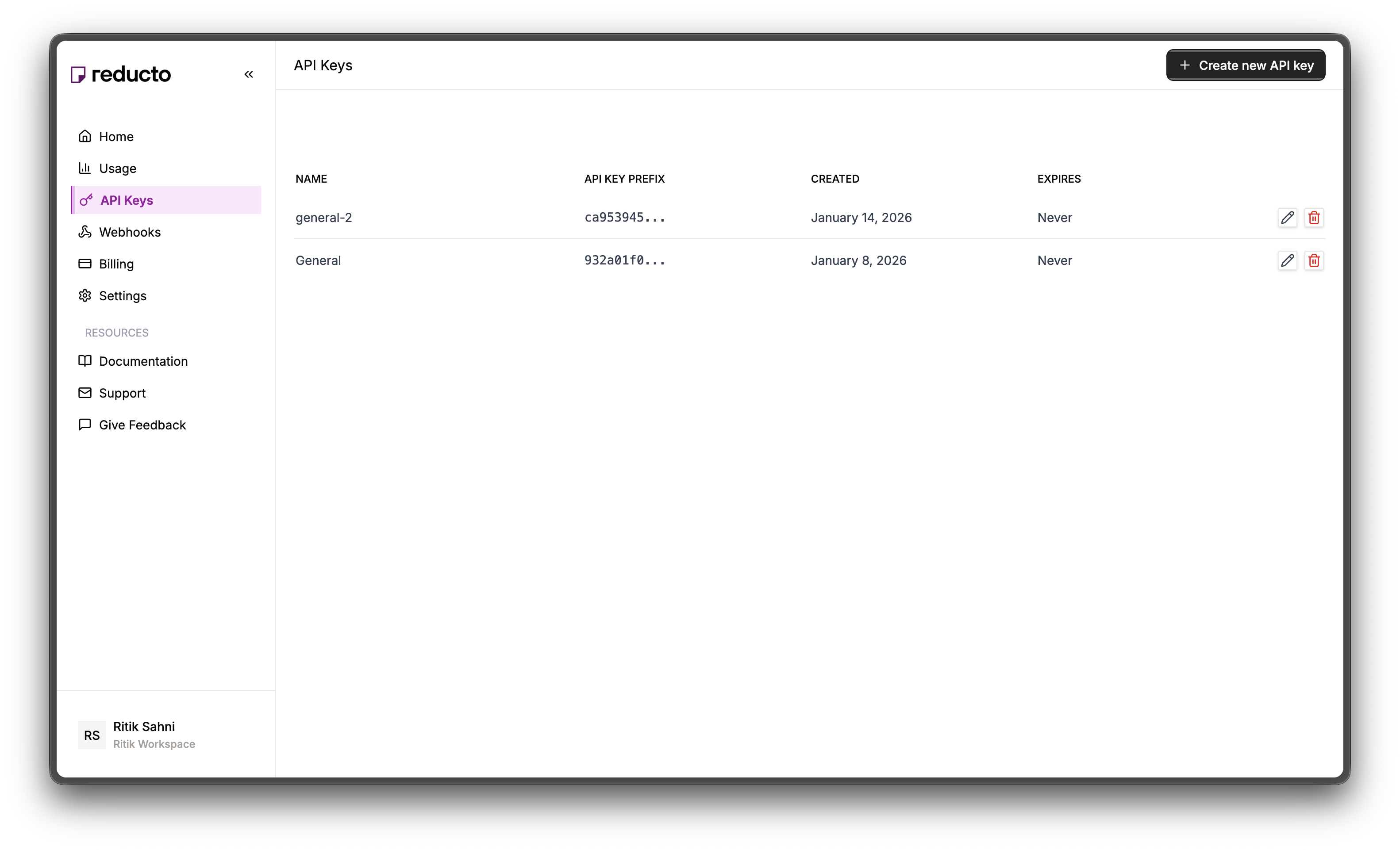
3
Configure Key
In the modal, enter a name for your key and set an expiration policy (or select “Never” for no expiration). Click Create.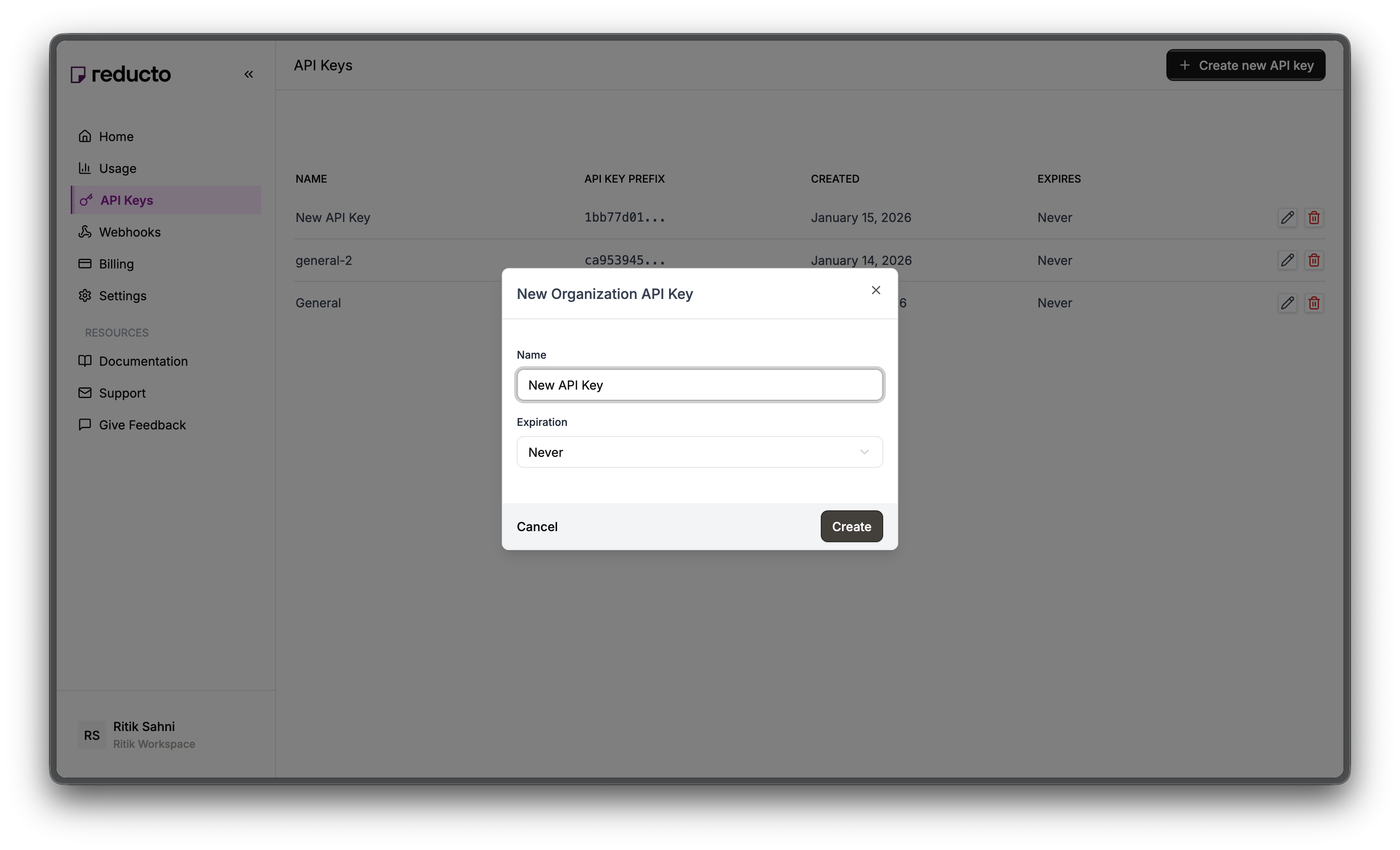
4
Copy Your Key
Copy your new API key and store it securely. You won’t be able to see it again after closing this dialog.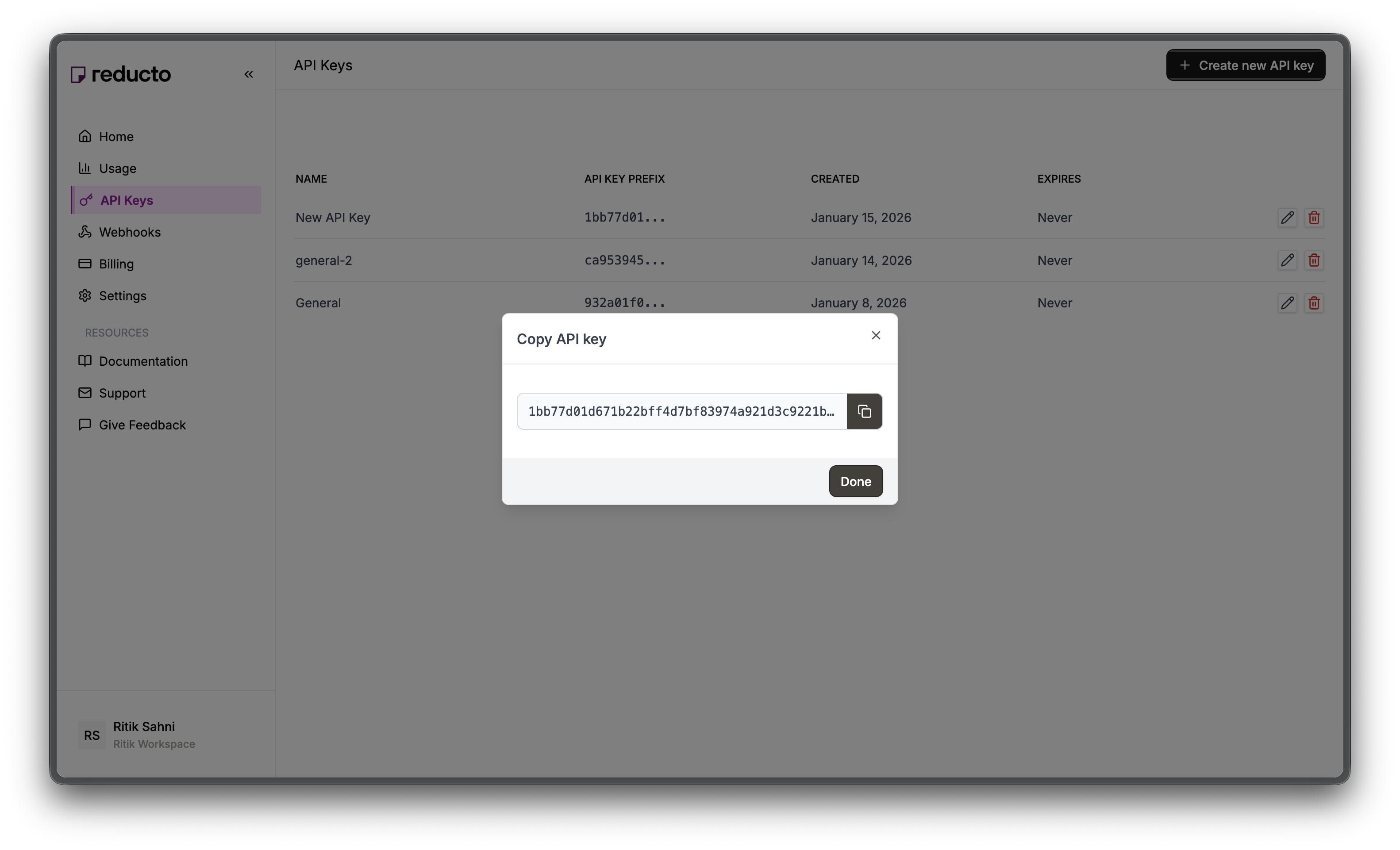
Studio Walkthrough
1
Start Extract Workflow
Go to studio.reducto.ai and click Extract on the homepage to start a new extraction workflow. Upload the freight invoice PDF.
2
Review Parse Results
After upload, you’ll see the Parse view showing how Reducto structures the document. The right panel displays extracted text content.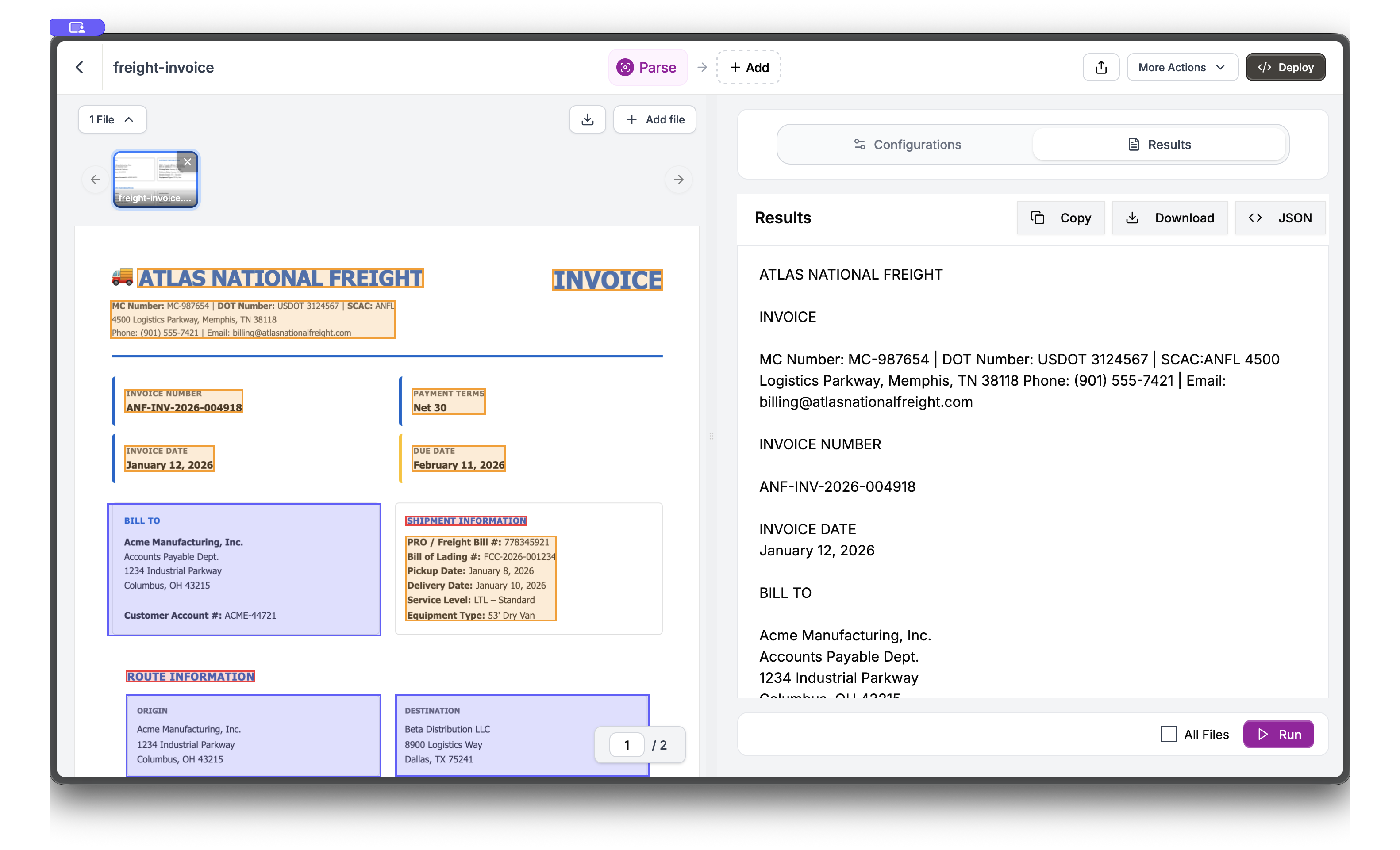
3
Switch to Extract View
Click Extract in the top navigation to switch views. In the Schema Builder, add fields by entering a name, selecting a type, and providing a description. Start with 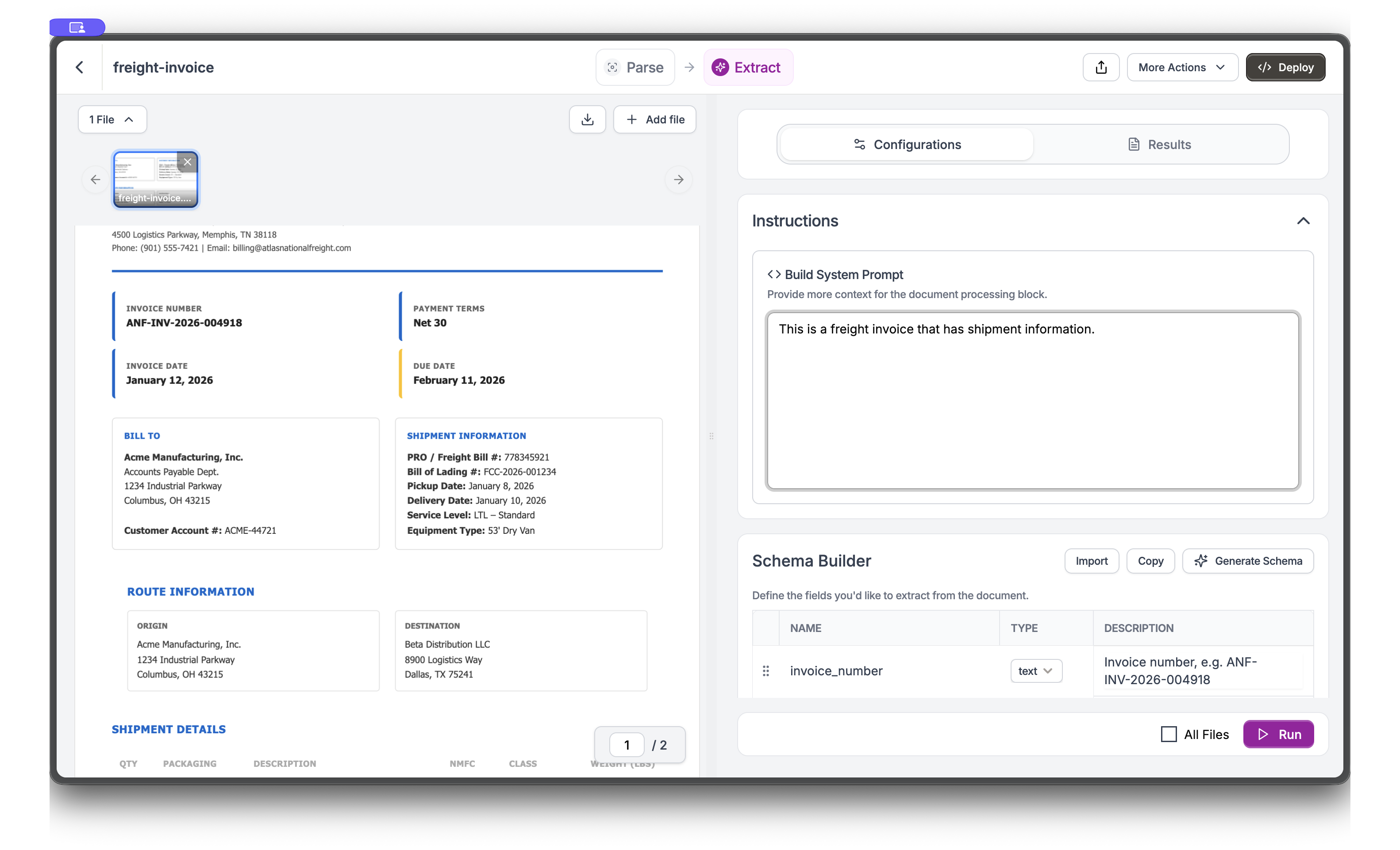
invoice_number.4
Build Nested Schema with Arrays
Add more fields including nested objects and arrays. For shipment information, create an 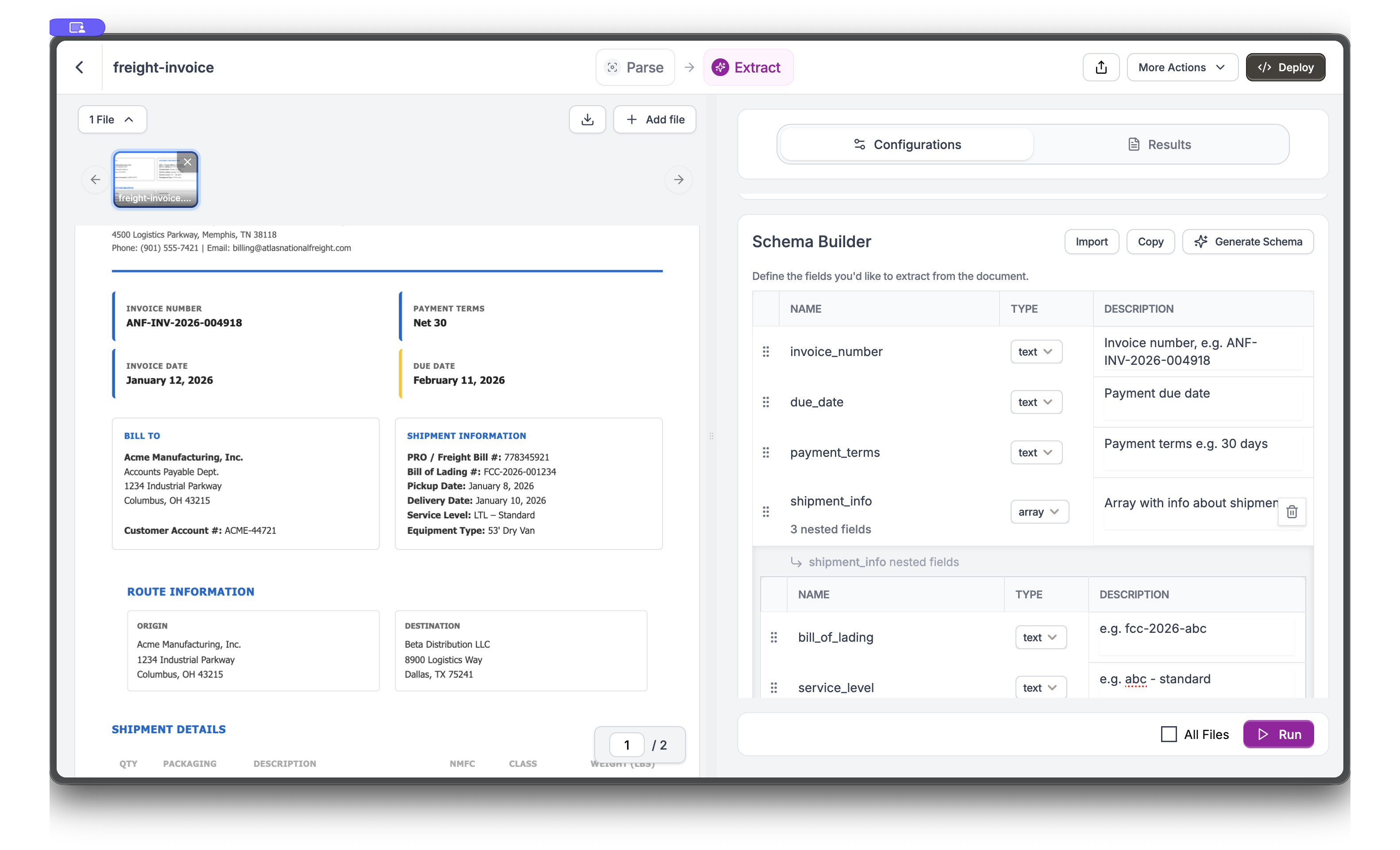
array type field called shipment_info with nested fields like bill_of_lading, service_level, and equipment_type.5
Run Extraction and View Results
Click Run to execute the extraction. Switch to the Results tab to see extracted values. The document highlights where each value was found.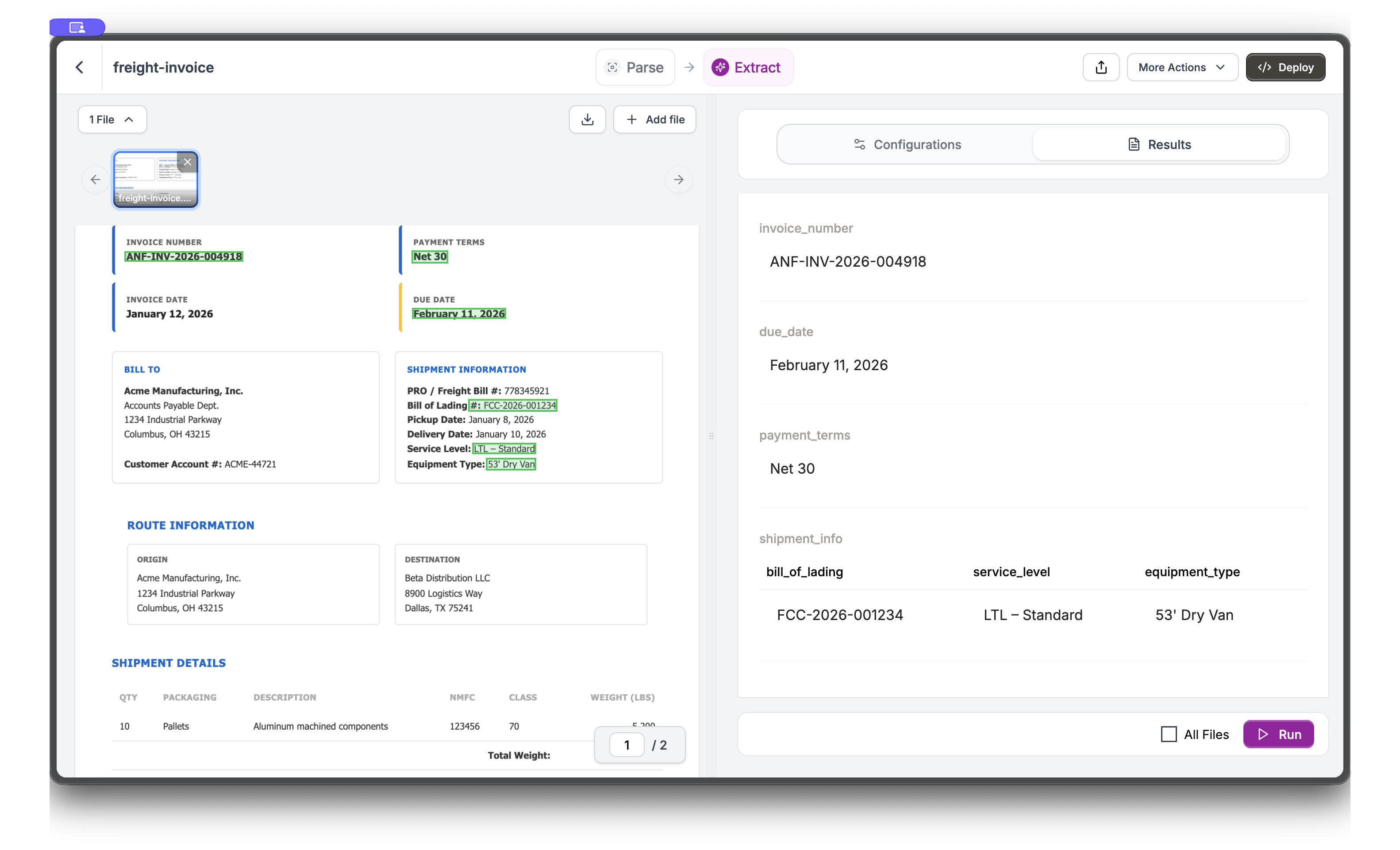
API Implementation
Building the Schema
A good extraction schema mirrors the invoice structure. We’ll build it incrementally, explaining design decisions along the way.Invoice Header
Every invoice has fixed header fields. Request dates in ISO format (YYYY-MM-DD) for consistent parsing and date math.invoice_dateanddue_date: ISO format enables date calculations (days until due, overdue checks)payment_terms: Keep as string, not parsed days. Terms vary widely (“Net 30”, “2/10 Net 30”, “Due on Receipt”)
Parties (Vendor and Bill-To)
Invoices involve two parties: the vendor (carrier) and the customer (bill-to). Nested objects keep fields organized and separate.Shipment Details
Shipment metadata links the invoice to physical freight movement. Use number types for fields you’ll calculate with.pro_number: Carrier’s tracking number, the primary identifier for freightbol_number: Customer’s bill of lading, for matching invoices to purchase orderstotal_weight_lbs: Number type enables rate-per-pound calculations
Charges Array
Here’s the key insight for invoice extraction: charges are a variable-length array. One invoice might have 3 charges (linehaul, fuel, one accessorial), another might have 12 (multiple accessorials, adjustments, fees).charge_1, charge_2, charge_3 and hope you have enough fields. If the invoice has 5 charges, you miss two. If it has 2 charges, you have empty fields. An array field lets Reducto capture every charge row regardless of count.
For long or complex documents where results look truncated, enable
deep_extract: True in settings. Deep Extract is an agentic mode that iteratively refines its output to capture every item. It costs more and runs slower, so reserve it for cases that need it. (The older array_extract setting is deprecated in favor of deep_extract.)Complete Extraction
Combine all schema sections and run extraction:Extraction Results
When you run extraction on the sample invoice, you get:Tracing Values with Citations
In accounts payable, disputes arise: “Where did this $256.50 fuel surcharge come from?” Citations let you point to the exact location in the source document. Enable citations via thesettings parameter:
- Audit trails: Show auditors exactly where each charge originated
- Dispute resolution: Link a questioned fee back to its source location
- Quality validation: Spot-check extractions by comparing values to their highlighted source
Best Practices
Handle Multiple Invoice Formats
Different carriers use different invoice layouts. Make your schema robust with descriptive field hints:Validate Extracted Totals
Invoices have internal consistency: line items should sum to the subtotal. Use this for quality checks:- Missing charges in extraction (increase specificity in descriptions)
- OCR errors on amounts (check the source document)
- Hidden fees not in the main charges table
Next Steps
Array Extraction
Configure extraction for repeating items
Citations
Track where extracted values come from
Extract Best Practices
Schema design tips
Batch Processing
Process thousands of invoices