

Start with a document
Let’s walk through extracting data from this Fidelity investment statement. We want to pull out specific values—portfolio value, holdings, and account details—not the entire document content. Create an Extract pipeline in Studio and upload the document. The Configurations tab shows three panels: Build System Prompt for document-level context, Schema Builder for defining fields, and Settings for extraction options.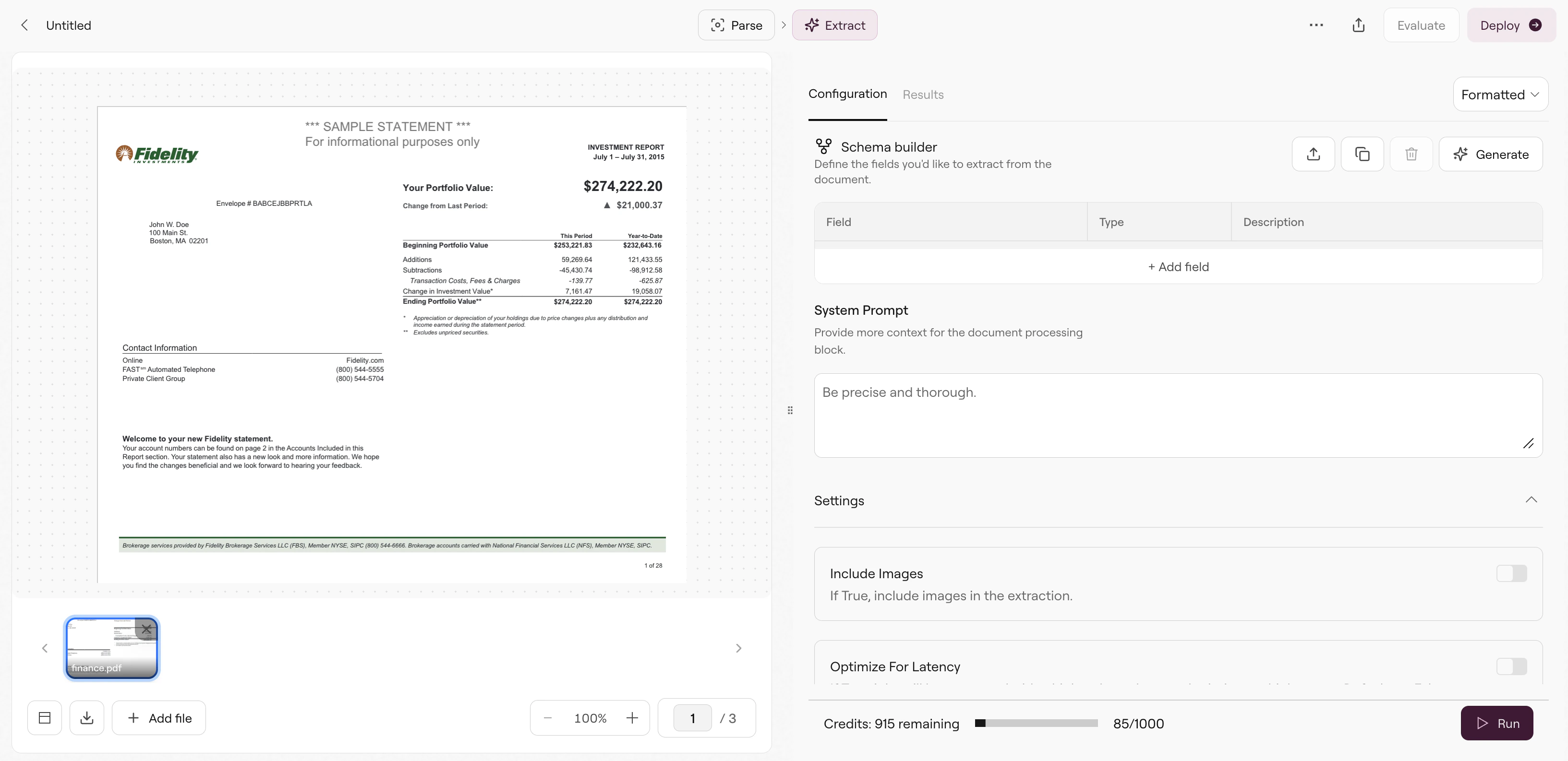
Extract pipeline interface showing document preview and configuration panels
Define your schema
The Schema Builder is where you specify what to extract. You have two options:Option 1: Generate with natural language
Click Generate to describe what you need in plain English. For example:Option 2: Build manually
Click Add Field to define each field yourself. Each field needs:- Name — The key in your JSON output (e.g.,
portfolioValue) - Type — The data type (text, number, date, array, object, etc.)
- Description — Instructions for the LLM on where to find this value
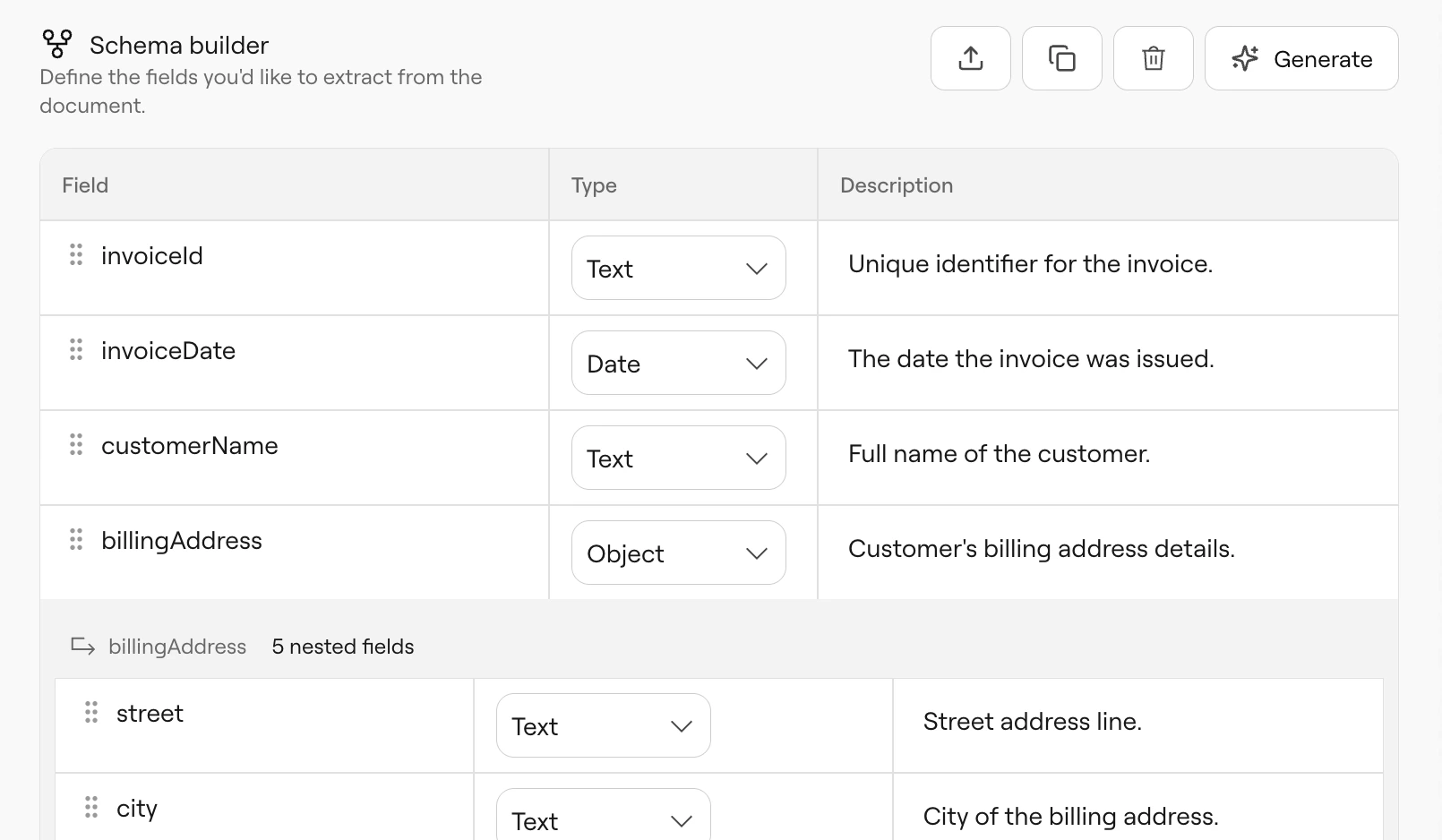
Schema Builder with portfolioValue and holdings array defined
portfolioValue(text) — “Total portfolio value”holdings(array) — “list of all my holdings”
holdings array expands to show nested fields. Click on an array or object field to add nested structure—each holding could have name, quantity, currentValue, etc.
Field types
Writing good descriptions
Field descriptions directly influence extraction accuracy. The LLM uses them to locate values. Specific descriptions work better:- ✓ “Total portfolio value in USD, displayed prominently at the top right of page 1”
- ✓ “Account holder’s full name as shown in the mailing address”
- ✗ “The total”
- ✗ “Name”
Build System Prompt
Use the Build System Prompt panel to provide document-level context:Settings
The Settings section (below Schema Builder) controls extraction behavior. Configure these before running: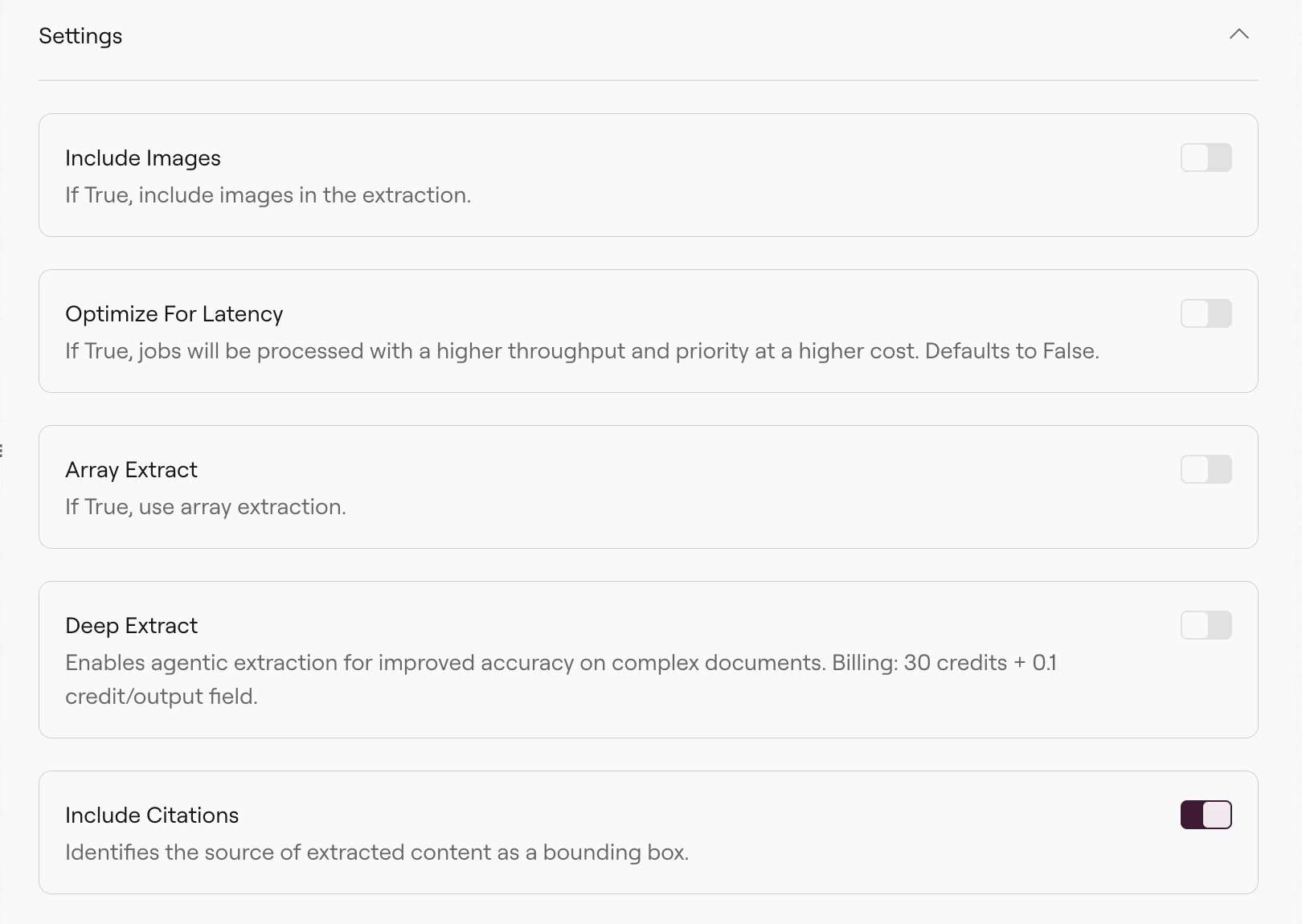
Run and view results
Click Run to execute the extraction. The Results tab shows your extracted data: Each field from your schema appears with its extracted value. For arrays likeholdings, you see each item expanded with its nested fields.
The toolbar provides:
- Copy — Copy JSON to clipboard
- Download — Save as file
- JSON — Toggle raw API response view
Troubleshooting
Why is a field returning null or incorrect values?
Why is a field returning null or incorrect values?
First, check if the value appears in the Parse output. Create a Parse pipeline with the same document—if the value isn’t there, Extract can’t find it either. Fix the parsing first (enable agentic mode, adjust OCR settings, or change table format to HTML).If the value is in Parse output, refine your schema. Make the description more specific, add location hints like “found in the header on page 1”, or try a different field name.
Why are items missing from my array?
Why are items missing from my array?
For long documents with many items (hundreds of transactions, extensive line items), enable Deep Extract. It helps with extremely long and complex extractions.
Why do results vary between runs?
Why do results vary between runs?
LLM outputs are non-deterministic. Small variations are normal. If you need consistent results, use ground truth comparison to track accuracy over time and catch regressions.
Why is extraction slow?
Why is extraction slow?
Extract runs Parse first, then the extraction LLM. Large documents take longer. If you enabled “Include images”, that adds processing time and cost. Disable it unless you need visual context for extraction.
Related
Extract API
API reference with all parameters.
Schema Best Practices
Detailed guidance on schema design.
Array Extraction
Handle long documents with repeating data.
Citations
Trace values back to source locations.